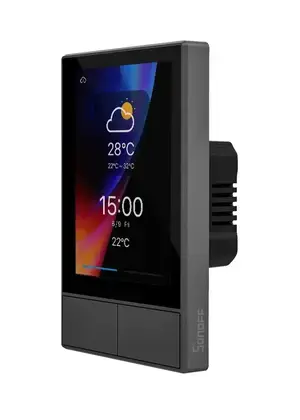
The Sonoff NSPanel is an affordable smart home touch panel that includes a capacitive display, two physical buttons, a buzzer, two relays, and WiFi/Bluetooth connectivity. It’s a compelling device at its price point, but the stock firmware and hardware have significant limitations. That’s why I created eNSPanel — a custom PCB replacement that addresses these constraints while adding powerful new capabilities.
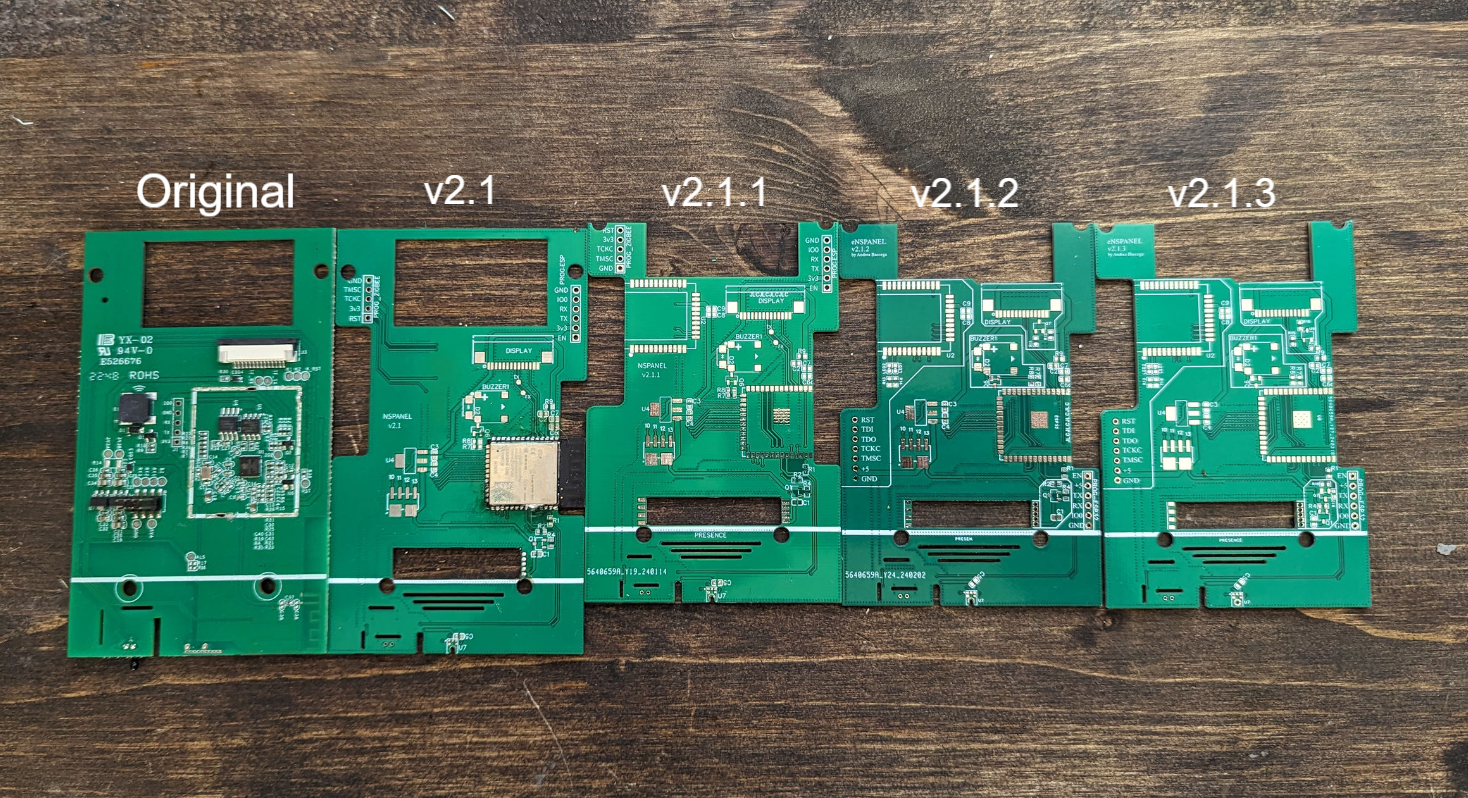
And here’s the custom eNSPanel PCB that replaces the original internals:
Why Replace the Original PCB?
The original NSPanel hardware presents several challenges:
- Limited memory — The stock ESP32 module lacks sufficient memory for advanced ESPHome features, making TFT uploads problematic
- No presence detection — You can’t trigger automations based on room occupancy
- No voice capabilities — No microphone for voice assistant integration
- No extensibility — The closed design prevents adding custom sensors or modules
What eNSPanel Offers
The custom PCB maintains full compatibility with the original NSPanel enclosure while introducing substantial upgrades:
Upgraded ESP32-S3 Module
The heart of the upgrade is the ESP32-S3-WROOM-1-N16R8 module. This provides:
- 16MB flash and 8MB PSRAM
- Sufficient memory for on-device wake word detection
- Better processing power for complex automations
- Full ESPHome compatibility without memory constraints
LD2410 Presence Sensor
The board integrates an LD2410 mmWave radar sensor for true presence detection. Unlike PIR sensors that only detect movement, mmWave radar can detect stationary occupants — perfect for triggering automations when someone is sitting still in a room.
Built-in Microphone
With the ESP32-S3’s PSRAM, the eNSPanel supports on-device wake word recognition. Say “Hey Jarvis” (or configure your preferred wake word), and trigger your voice assistant without cloud dependencies. This enables distributed voice control throughout your home.
Modular Daughter Board System
Perhaps the most interesting design decision is the mother-daughter board architecture. The main PCB exposes 6 GPIO pins plus 5V and 3.3V power through a 10-pin connector. This allows you to create custom expansion boards:
- Add a ZigBee coordinator
- Include a speaker for audio feedback
- Integrate additional sensors
- Connect any peripheral your project requires
The daughter board constraints are well-defined: max 34.6×51.4mm, max 1.6mm thickness, with specific clearances documented for enclosure compatibility.
Design Philosophy
All enhanced features are optional. Don’t need presence detection? Skip the LD2410. Don’t want voice control? Omit the microphone. The base PCB maintains all original NSPanel functionality — display, buzzer, thermistor, buttons, and relays — so you can start simple and expand later.
The PCB dimensions (under 100×100mm) were intentionally chosen to qualify for manufacturing discounts at most PCB fabrication houses, keeping costs reasonable.
Getting Started
The project repository includes:
- Gerber files — Ready to upload to JLCPCB, PCBWay, or your preferred manufacturer
- 3D models — For visualizing the build and checking enclosure fit
- ESPHome configurations — Modular YAML files for each component (display, buzzer, presence sensor, microphone, etc.)
- Nextion display files — Custom HMI for the touch interface
- Complete documentation — From ordering PCBs through soldering and firmware flashing
Technical Highlights
The ESPHome configuration is split into logical modules:
# Core configuration
packages:
  core: !include esphome/core.yaml
  buzzer: !include esphome/buzzer.yaml
  nextion: !include esphome/nextion.yaml
  ld2410: !include esphome/ld2410.yaml      # Optional
  microphone: !include esphome/microphone.yaml  # Optional
For voice assistant functionality, the configuration leverages ESPHome’s micro_wake_word component:
micro_wake_word:
  model: hey_jarvis
  on_wake_word_detected:
    - voice_assistant.start:
When the wake word is detected, the system plays an acknowledgment tone and initiates the voice assistant pipeline — all processed locally on the ESP32-S3.
Who Is This For?
The eNSPanel is ideal if you:
- Run Home Assistant with ESPHome
- Want room-level presence detection
- Desire local voice control without cloud dependencies
- Need a platform you can extend and customize
- Enjoy hardware projects and aren’t afraid of SMD soldering
If you’re comfortable ordering custom PCBs and doing surface-mount soldering (or using a reflow oven), this project transforms an inexpensive commercial device into a powerful smart home control point.
Conclusion
The Sonoff NSPanel provides excellent hardware at a low price, but its software and expansion options are limited. The eNSPanel project liberates that hardware, adding presence detection, voice capabilities, and infinite extensibility through the daughter board system — all while maintaining compatibility with the original enclosure.
Check out the GitHub repository and documentation to get started with your own build.